Why You Shouldn’t Ignore the Update Button In Your Browser
A couple of weeks ago I was on a monthly update webinar with Action1 and they pointed out something which even surprised themselves when they read it out loud. Over the past month there were 1200-1300 vulnerabilities detected for the Chrome and Edge (chromium based) web browsers alone. It’s also worth pointing out earlier in the year there were news reports of approx. 250 vulnerabilities detected for Firefox in a single week.
The web browser is the front door to the online world for a lot of people and so needs to be treated like the first line of defence to reduce your chances of being hacked.
The AI driven world we’re steering towards is going to be a double edged sword and as far as cyber security is concerned it’ll create at least as many problems as it’ll solve. A lot of the advice about preventing problems by having the basics covered however will continue to remain the same.
In this case if you see the Update button at the top of your browser – regardless of what OS platform you’re running on – please take a minute to click Update and let it do its thing.
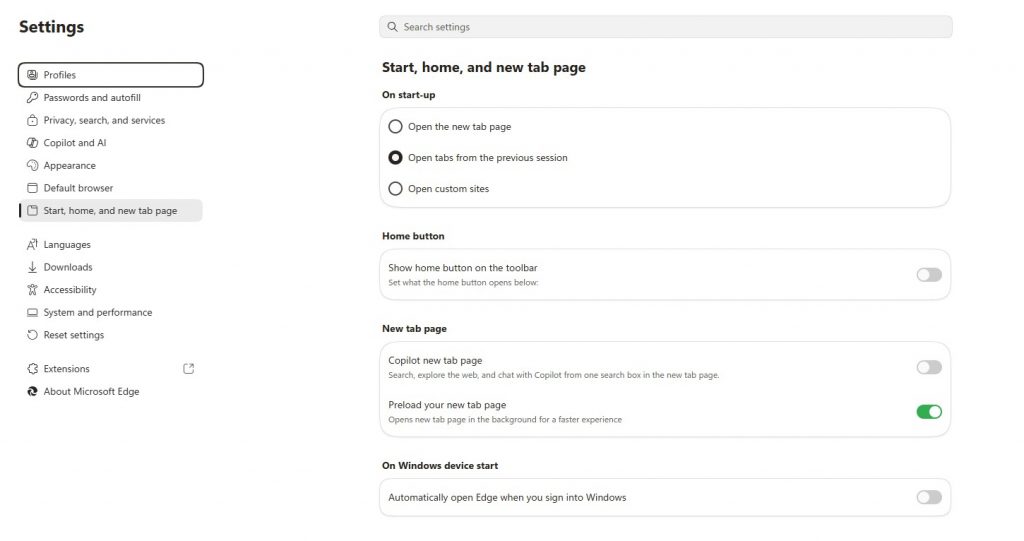
If you’re worried about losing the work you have open check your Settings in the browser so the startup option is set to either:
> Open tabs from the previous session
> Continue where you left off